hehehe registerphone, password, done
One short form, one SMS code, and you are inside the lobby. Type your own mobile number below and keep the tab open until the confirmation appears.
- 18+ only
- bKash & Nagad ready
- 24/7 live chat
Create your account
Four fields are required. The referral code can stay empty.
Already have an account? Log in to hehehe
18+ · Play Responsibly
What hehehe register asks for
Five lines on the form, and only four are required. Here is what each one wants and why the site needs it.
| Field | What to enter | Why it matters |
|---|---|---|
| Mobile number | Your own Bangladeshi number written in local 01 form, with no +880 and no spaces. | It is your login name, and it is where the SMS code and cash-out alerts arrive. |
| Password | Letters plus numbers, longer than the PIN on your phone. Nothing you already use on another site. | You will type it at hehehe login every time, from this phone or a new one. |
| Confirm password | The same password again, typed by hand rather than pasted. | Catches a typo before it locks you out of an account you just opened. |
| Referral code | Optional. Fill it only if a friend passed you their invite code. | Ties your signup to that friend. Nothing else on the form changes. |
| Terms tick | Tick the box to accept the Terms & Conditions and the Privacy Policy. | The form will not submit without it, however carefully the rest is filled. |
Keep the tab open until the confirmation screen appears. One person gets one account, and the mobile number is the key. Sign up with a borrowed SIM and the name on your wallet will not match the account later, which stops a withdrawal before it starts.
hehehe new member bonus, terms in plain words
The first deposit bonus is the only offer you need to understand before signing up, because it comes with conditions.
Four steps from blank form to first spin
The whole signup usually finishes inside a couple of minutes. These are the steps, in the order the screen asks for them.
-
1
Type your own number
Use the SIM registered in your name with bKash or Nagad. Write it in local 01 form without a country code, then read the digits back once. A single wrong digit sends the SMS code to a stranger and leaves you waiting on a screen that never moves.
-
2
Pick a password you can retype
Mix letters and numbers, and make it longer than your phone PIN. Do not reuse a bank password or another betting account. Type it into the second box by hand instead of pasting, so an invisible space cannot slip in and break the match.
-
3
Send the code and confirm
Tap Register Now and watch for the one-time code on the same number. Enter it on the next screen while it is fresh; if you were slow, request another. The account only opens when the code matches, so keep the phone beside you.
-
4
Make the first deposit
Open the cashier, choose bKash, Nagad, Rocket or Bank Transfer, and send at least ৳250. Most top-ups reach the balance in about 4 minutes. The 110% first deposit bonus is added once that payment clears.
First deposit, identity checks and cash-out
Signing up takes a minute. These four points decide how quickly the money moves afterwards.
-
Fund it from a wallet you already use
Minimum deposit is ৳250. Open the cashier, pick bKash, Nagad, Rocket or Bank Transfer, copy the number shown and confirm on your phone. Money normally lands in about 4 minutes. Keep the SMS receipt until the balance updates on screen.
-
Clear the 8× wagering
The welcome bonus carries 8× turnover. Every ৳1,000 of bonus needs ৳8,000 of play on slots, fishing or live tables before it becomes withdrawable. Check the bonus page for which games count in full and which count in part.
-
Send one ID before the first withdrawal
A National ID card, a passport or a driving licence is enough. Photograph the whole document on a flat surface in good light. Review takes about 12 hours, and KYC has to be finished before your first cash-out, not after it.
-
Cash out from ৳1,500
The minimum withdrawal is ৳1,500 and the daily ceiling is ৳105,000. Once KYC is done, most payouts take about 11 minutes; the very first one can take up to 6 hours while the account gets a one-time manual check.
Common registration errors and how to clear them
Nearly every failed signup is one of these five. Each fix takes less than a minute.
| What you see | Why it happens | What to do |
|---|---|---|
| The SMS code never arrives | A digit was wrong, the inbox is full, or the network is holding the message. | Check the number on screen, clear old messages, then request the code again. If a second try fails, open 24/7 live chat from the help pages. |
| The password box turns red | The two password fields do not match, or a pasted space came along with the text. | Retype both boxes by hand with letters and numbers only. The warning clears the moment the two match again. |
| This number already has an account | You signed up before, or a family member used the same SIM for their own account. | Go to hehehe login and use the reset link instead of registering again. One number cannot hold two accounts. |
| The page reloads and the form is empty | A weak signal dropped the submit, or the tab sat open for hours and timed out. | Move to steady Wi-Fi or data, close the extra tabs, and fill the form in one pass without switching apps halfway. |
| The referral code is refused | The code has a typo, or it belongs to an invite that is no longer active. | Leave that field blank. The account opens exactly the same way, and the first deposit bonus does not depend on it. |
Registration questions we get on live chat
Short answers to the six things new players ask before they finish the form.
Jump to a question
Can one person hold two hehehe accounts?
No. The mobile number is what ties an account together, and duplicate signups are closed once they are spotted. If you want a second account only because you lost the password, use the reset option at hehehe login instead. Live chat can help if the number itself has changed.
Which document is accepted for KYC?
A National ID card, a passport or a driving licence, all in your own name and matching the name on the account. Photograph the full document, corners included, on a flat surface with decent light. Review takes about 12 hours and it only has to happen once, before your first withdrawal.
Do I need the hehehe app to register?
No. The form on this page runs in any mobile browser and the site remembers your login afterwards. The app is a choice, not a requirement: it is 41 MB, runs on Android 6.0 and above, and you can install it later from the hehehe app page with the same account.
I forgot my password right after signing up
Open hehehe login, tap the reset link and enter the same mobile number you registered with. A code comes by SMS so you can set a new password straight away. If that message never turns up, live chat can check which number is attached to the account.
Why does the form ask for a referral code?
It is optional and only useful if a friend invited you, because their code links your new account to theirs. Skip it and everything else behaves the same: same lobby, same limits, same welcome offer. The 110% first deposit bonus is not tied to a referral code at all.
How do I get the welcome bonus after registering?
Log in, open the cashier and deposit at least ৳250 in one go. The 110% bonus is added on top up to ৳9,000, then has to be turned over 8× within 7 days before it can be withdrawn. Deposits below ৳250 open the account but do not trigger the offer.
Registering on the hehehe app instead
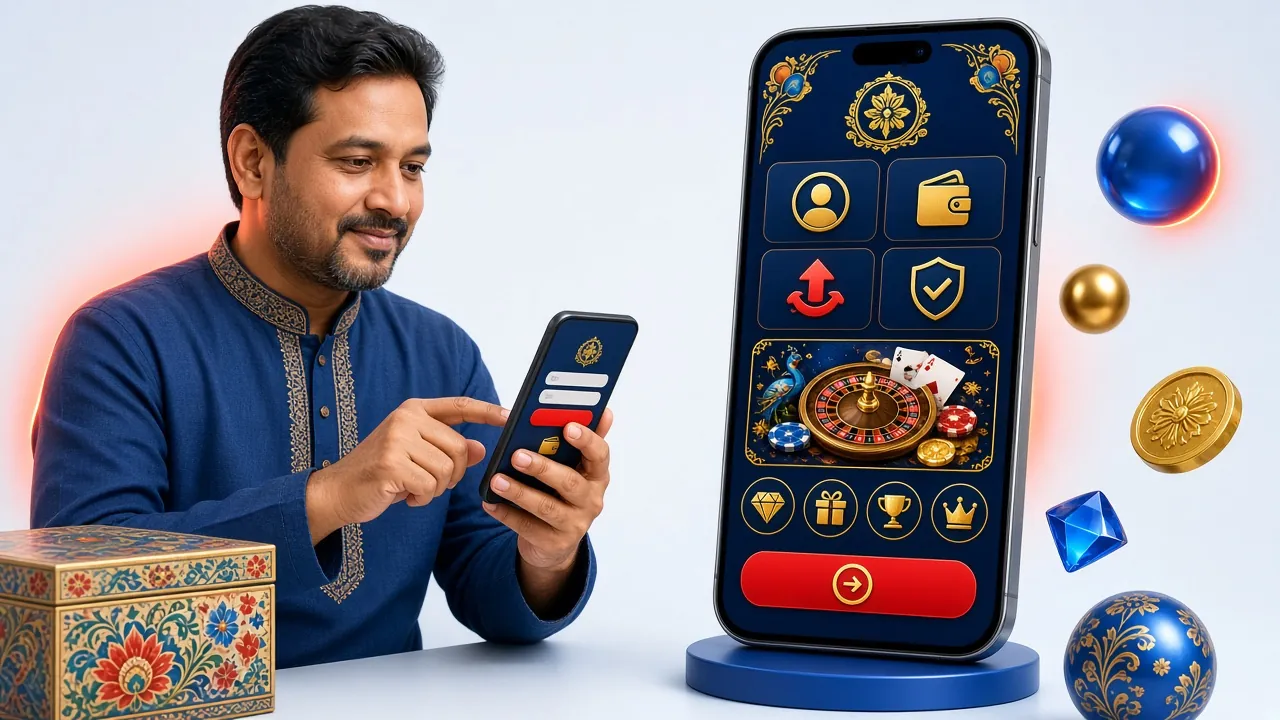
The signup screen inside the app asks for the same five fields, in the same order, so an account opened here works there without a second registration. Version 2.3.19 is 41 MB, needs Android 6.0 or newer, and costs nothing to install.
Take the APK route if your mobile data is steady but your browser keeps dropping the form on long sessions.
Get the hehehe app